Samsung Health is where a Galaxy Watch keeps its numbers: steps, heart rate, sleep, blood oxygen and more. It is a good fitness app, but it keeps those numbers to itself. Anpheros Daily brings them into your health record, where they sit next to the cough that started on Tuesday, the new medication and last month's blood test.

Steps and activity
Day by day, with distance and calories.

Heart
Heart rate summarised so you see the trend over weeks.

Sleep
Sleep from your watch, next to the energy and mood you note yourself.
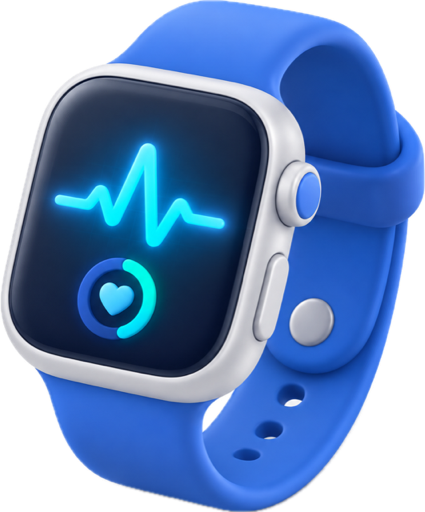
On your wrist
An Anpheros Daily app for Wear OS on the Galaxy Watch, for the day's state and a quick check-in.
How the data gets there
Anpheros Daily reads Samsung Health data through Health Connect, Android's shared health store. Samsung Health writes into Health Connect once you allow it:
- In Samsung Health, open Settings › Health Connect and allow Samsung Health to share the data types you want.
- In Anpheros Daily, open Devices, choose Health Connect and pick the same types.
- Your last 30 days appear on the timeline, and the app keeps up each time you open it.
One thing to know: Samsung Health decides which types it shares with Health Connect and how often. In our own tests on a Galaxy phone, steps arrived but with a delay, and some types did not arrive at all until Samsung Health exported them. Opening Samsung Health before Anpheros Daily helps it sync.
Why one record matters
Your watch shows your watch's numbers. Your record shows what they mean next to everything else: resting heart rate up in the week of the cold, fewer steps since the knee pain, less deep sleep in the weeks of the new medication. Everything is stored in your medical record in HL7 FHIR, the format hospitals use, each value marked as coming from a device. Your doctor can see it with your consent, and you can export it whenever you want.
Connecting Samsung Health is part of the Plus and Max plans. Plus has a 7-day trial, no card required. You can also enter measurements by hand on the free Basic plan.
Frequently asked questions
Does it work with every Galaxy Watch?
It works with what Samsung Health shares with Health Connect on your phone. The Anpheros Daily watch app needs a Galaxy Watch with Wear OS.
Why are my steps different from Samsung Health?
Samsung Health may not have shared its latest data with Health Connect yet. Open Samsung Health so it syncs, then open Anpheros Daily.
Does Anpheros Daily need my Samsung account?
No. It reads what Samsung Health shares with Health Connect on your phone, with your permission.
Can I use it with an iPhone?
A Galaxy Watch works with Android phones. On iPhone, Anpheros Daily reads Apple Health instead — see Apple Health and Apple Watch.